


Automate Google review responses for restaurants safely — classify risk, use AI drafts with QA gates, and escalate exceptions to compound trust. Avoid these 10 proven mistakes for US, UK, and Canada businesses.
Introduction
To automate Google review responses for restaurants is not a quick-reply trick — it is a governed reputation workflow. The operational goal is simple: respond consistently, protect policy boundaries, and reduce guest uncertainty across the US, UK, and Canada. When done well, every automate Google review reply becomes a trust compounding mechanism that supports bookings and repeat visits. When done without governance, automated replies create faster wrong answers and public-risk mistakes that sit permanently in the brand record every future guest reads before deciding whether to book.
The distinction matters because most restaurants that attempt to automate Google review management start with a tool rather than a system. A tool posts replies quickly. A system classifies each review by risk level, drafts replies using only verified facts, passes every reply through a QA gate, escalates sensitive cases to a human approver, and feeds recurring complaint themes back into operational improvements. One produces speed. The other produces compounding trust — and for a restaurant whose reputation record is one of the first things a prospective guest evaluates, the difference between those two outcomes is measurable in bookings.
A common misconception is that to automate Google review responses means replacing human judgment entirely. It does not. The safest and most effective automation governance keeps humans in the loop for every reply category where a mistake creates public or legal exposure — which is most of the reviews that matter most. Automation handles the volume. Human review handles the risk. Together, they produce the response consistency and response speed that make a restaurant profile look actively managed and professionally run.
This article identifies the ten most common and costly governance mistakes that prevent a well-intentioned automate Google review workflow from working as a trust system — and the operational fix for each. It is part of the broader challenge of consistent brand management for restaurants, covering reputation management, social media consistency, and done-for-you publishing, because review responses and social content form one public brand record that guests compare.
What It Means to Automate Google Review Responses (and What It Is Not)
To automate Google review responses is not to deploy a generic autoresponder that posts the same message to every rating. It is a controlled workflow where automation drafts and routes replies — and humans govern the exceptions. The cause-and-effect is straightforward: automation without governance produces faster wrong replies and trust damage that spreads publicly. Automation with governance produces faster, consistent replies that compound trust over time and make the restaurant profile look professionally managed at every star rating.
A complete automate Google review workflow has seven layers: intake (detecting new reviews quickly and routing to the correct location or owner); classification (labelling each review by rating, sentiment, and risk level); drafting (using AI to generate replies from approved tone and verified facts only); QA gate (blocking unsafe promises, blame language, legal exposure, and privacy issues before publishing); publishing (auto-publishing low-risk categories within a response SLA); escalation (routing sensitive cases to a manager or approver); and a learning loop (converting repeated complaints into operational fixes and expectation-setting content).
Central to every safe automate Google review system is a truth library: a documented list of verified facts the AI is allowed to reference when drafting replies — nothing more, nothing less. The minimum version includes hours and reservation policy, refund and comp boundaries, dietary and allergen disclaimer language, delivery partner boundaries where applicable, correct location identifiers, and the escalation contact method. If information is not in the truth library, it is not allowed in the reply. That single rule eliminates most inaccuracy risk before the QA gate even runs.
Why Automating Google Reviews Is a Trust Compounding Mechanism
Guests do not only read star ratings. They read owner replies as evidence of how a restaurant behaves when something goes wrong — and that makes every automate Google review reply a conversion signal, not an admin task. Slow or absent responses send a “they don’t care” signal that lowers booking intent. Defensive replies signal conflict and raise perceived risk. Consistent, empathetic replies signal accountability and encourage first-time visits from prospects who were already evaluating the restaurant against alternatives.
Trust compounds through consistent automate Google review management for three reasons. Every response is permanent and public — visible to every future guest who reads the profile. Consistency over months creates an “active owner” baseline that new guests read before booking. And consistent policy language around hours, reservations, and waitlists reduces the pre-visit uncertainty that prevents hesitant guests from committing. Each reply reinforces the record. The record builds the baseline. The baseline drives the booking.
10 Automate Google Review Mistakes Hurting Growth
These are the ten governance failures that prevent an automate Google review workflow from functioning as a trust system — and the operational fix for each.
Mistake 1: No Risk Classification Before Replying
Treating every review the same — auto-publishing replies regardless of rating, sentiment, or content — is the single most dangerous mistake in any automate Google review workflow. A 5-star enthusiastic review and a 1-star review containing a safety allegation require entirely different handling. Publishing an automated reply to a safety complaint, a discrimination allegation, or a legal threat without human review creates public and legal exposure that no deletion can fully undo.
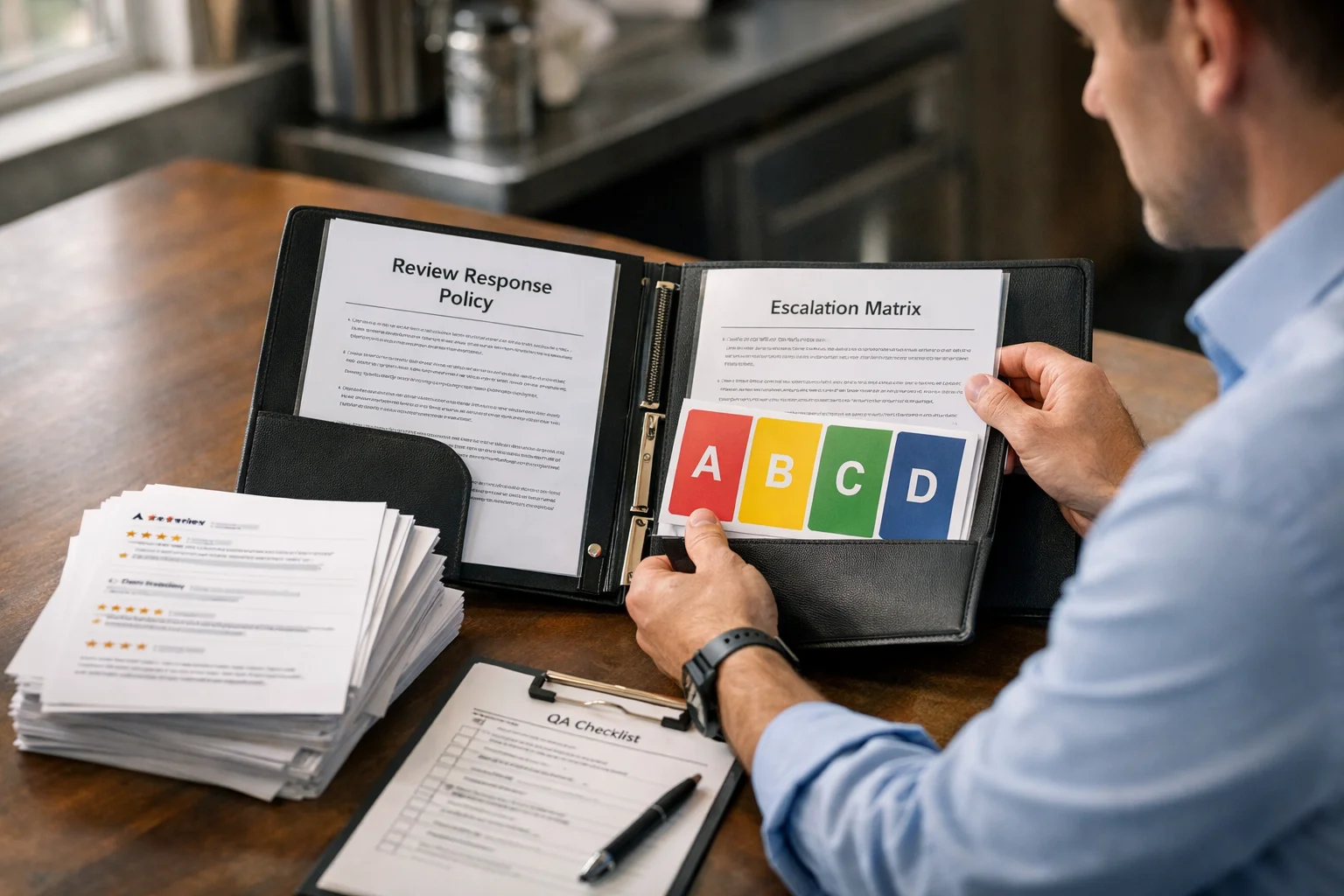
The fix is a four-category classification system applied to every review before any reply is drafted or published. Category A covers 4–5 star non-sensitive reviews and can be auto-approved. Category B covers 3-star or mixed feedback and needs a quick human check. Category C covers 1–2 star reviews, accusations, safety concerns, discrimination, refund demands, and legal threats — these must be escalated before any reply goes live. Category D covers doxxing, harassment, active disputes, or investigations in progress — these must be held, documented internally, and published only if safe after the situation resolves. This classification layer is what makes restaurant automate Google review management safe at scale.
Mistake 2: AI Drafting Without a Truth Library
Allowing AI to draft automate Google review replies without constraining it to a verified truth library means replies can include incorrect hours, wrong reservation policies, inaccurate allergen statements, or promises the restaurant cannot honour. Each of these creates a different category of public risk — and because the reply is permanent and public, the inaccuracy remains visible to every future guest who reads the profile long after the original reviewer has moved on.
The fix is a documented truth library that defines exactly what the AI is permitted to reference: hours and reservation policy, refund and comp boundaries, dietary and allergen disclaimer language, delivery partner boundaries, correct location identifiers, and the escalation contact method. If the information is not in the library, it does not appear in the reply. That constraint is what separates an automate Google review system that compounds trust from one that creates an expanding catalogue of public inaccuracies.
Mistake 3: Undefined Reply Objectives
An automate Google review reply that lacks a clear objective produces replies that feel unfocused — acknowledging the review without providing the specificity and next-step clarity that makes the response useful to the guest who wrote it and credible to every future guest who reads it. Vague replies that thank the guest without confirming anything specific signal a generic, unengaged management team rather than a restaurant that takes its reputation record seriously.
The fix is a four-part objective applied to every reply before drafting begins: acknowledge the guest experience, confirm one safe and verified specific detail drawn from the truth library, state the next step (offline resolution when needed), and protect boundaries by making no promises outside documented policy. Every automate Google review reply that satisfies all four objectives reduces guest uncertainty rather than increasing it — which is the outcome that drives profile actions and repeat visits.
Mistake 4: Skipping the QA Gate Before Publishing
Publishing automate Google review replies without a QA gate before they go live turns automation speed into a reputation risk amplifier. A reply that contains blame language, a sarcastic tone, a health or allergen guarantee, a compensation promise outside policy, personal data from the review, or an admission that creates legal exposure becomes part of the permanent public record the moment it publishes — and no amount of response editing or follow-up can fully counteract the first impression it created.
The fix is a mandatory QA check applied to every reply in every category before publishing. The gate confirms there is no argument, blame, or sarcasm; no allergen or health guarantees; no compensation promises unless policy explicitly allows them; no personal data; no admissions that create legal exposure; and that the correct location name and policy language are used throughout. A QA gate applied consistently is the difference between an automate Google review system that builds trust and one that creates preventable public mistakes at scale.
Mistake 5: No SLA by Risk Level
Applying the same response timeline to every review category — or having no defined timeline at all — creates two opposite problems simultaneously. Low-risk positive reviews go unanswered for days because there is no urgency signal in the workflow, creating “owner never responds” gaps in the profile that reduce booking intent. High-risk sensitive reviews get rushed to publish because the workflow treats them the same as routine replies, bypassing the deliberate review process that Category C and D reviews require.
The fix is a tiered SLA applied by risk category. Category A replies should publish within 24–48 hours. Category B replies should publish within 48–72 hours after a quick human check. Category C replies should be drafted within 24 hours but published only after a deliberate decision by a manager or approver. Category D replies should be held, documented internally, and published only if safe after the situation fully resolves. A tiered SLA applied consistently to every automate Google review workflow ensures that speed and caution are applied where each is most needed.
Mistake 6: Escalating by Emotion Rather Than by Rule
When escalation decisions in an automate Google review workflow are made based on how a review feels rather than against a written rule, sensitive cases get handled inconsistently — sometimes escalated, sometimes not, depending on who reviewed the reply and what their threshold for concern was that day. Inconsistent escalation produces inconsistent replies, which produces the visible contradiction in the public profile that signals to future guests that the restaurant’s standards vary by circumstance.
The fix is written escalation rules applied consistently regardless of who is managing the queue. Escalate any review that includes a safety incident, discrimination allegation, legal threat, refund demand, or health and allergen claim — without exception. Consistency in escalation is what prevents the most damaging public mistakes in an automate Google review system, because the cases that most need careful handling are also the ones where the temptation to respond quickly is strongest.
Mistake 7: Conflating Public Reply With Operational Resolution
A common mistake in automate Google review management is including resolution details — compensation offers, refund amounts, operational explanations — in the public reply rather than directing the resolution to an offline channel. Every detail included in a public reply creates a visible precedent that future guests reference when making similar requests, and every offer made publicly becomes a de facto policy that staff must honour consistently or explain inconsistently.
The fix is a structural separation applied to every Category B and C reply: the public reply acknowledges the experience, confirms the next step, and directs the guest to an offline resolution channel. The actual resolution — compensation decision, refund, operational explanation — happens through the escalation path, away from the public record. This separation protects both the legal boundaries and the brand consistency of the automate Google review workflow without reducing the responsiveness that guests expect from an actively managed profile.
Mistake 8: Templates Without Variable Blocks
Static templates that apply the same fixed text to every review in a category produce the robotic, generic replies that guests — and future prospects reading the profile — immediately recognise as automated and unengaged. A reply that could have been posted to any restaurant by any management team does not build the “active, attentive owner” baseline that makes an automate Google review strategy a trust compounding mechanism. It builds the opposite: a baseline of visible disengagement that prospective guests read as evidence of poor management.
The fix is variable-block templates that combine consistent structure with reply-specific personalisation drawn from the truth library. Each template should contain a greeting and thanks block, an empathy line, a safe specificity block used only when the detail is verified, a recovery path with contact method, and a sign-off with role and location. Variable blocks allow the automate Google review workflow to produce replies that feel personal and specific while maintaining the tone consistency and policy accuracy that governance requires.
Mistake 9: No Learning Loop From Recurring Complaints
An automate Google review system that only replies to reviews without feeding recurring themes back into operational improvements is a reputation management tool, not a reputation improvement system. When the same complaints — wait time, reservation confusion, delivery issues, inconsistent service standards — appear repeatedly in the review record without triggering operational changes, the reply workflow keeps producing responses to problems that the business could prevent entirely with one targeted fix.
The fix is a weekly learning loop integrated into the automate Google review workflow: tag recurring complaints by theme, assign one operational fix per theme, update the truth library and reply templates to reflect the improvement, and convert positive recurring themes into expectation-setting social content when policy allows. This loop ensures that both service quality and public replies improve together over time — which is the outcome that shifts the review record from reactive reputation management to proactive trust compounding.
Mistake 10: Tracking Vanity Metrics Instead of Trust Signals
Measuring the success of an automate Google review workflow by average star rating alone misses the operational signals that indicate whether the system is actually working. Star ratings change slowly and are influenced by factors outside the reply workflow. Operational signals — response-time consistency by review category, escalation accuracy, template edit frequency, and policy mistake rates — change quickly and directly reflect whether the governance system is functioning as designed.
The fix is a two-level measurement framework applied weekly. Track operational signals first: Category A replies consistently hitting SLA, escalation triggers applied consistently across managers, fewer edits required week over week as templates stabilise, and location and policy mistakes approaching zero. Then track business outcomes: disappearing “owner never responds” gaps in the profile, increasing profile actions such as calls, directions, and bookings, and review sentiment trending positively as recurring operational issues get addressed through the learning loop. When both levels move in the right direction, the automate Google review workflow is functioning as a trust compounding mechanism — not just a reply management tool.
Comparison: Tool-Only vs Reputation-System Automation
How an automate Google review workflow is implemented determines whether it compounds trust or compounds damage — and the difference is structural, not technological.
Tool-only automation uses one generic prompt for every review, applies no risk classification, has no QA gate, no escalation rules, and no learning loop. The outcome is faster replies with a higher risk of tone mistakes and policy errors that become permanent public record. Speed is the only improvement over manual management — and speed applied to the wrong reply in the wrong category creates more damage than a delayed reply would have.
Reputation-system automation uses A/B/C/D classification, AI drafting constrained to a verified truth library, a QA gate with written escalation rules, SLAs applied by risk level, and a learning loop that turns recurring complaint themes into operational fixes and content improvements. The outcome is fewer public incidents, stronger trust signals, less rework, and a profile record that actively supports booking decisions rather than requiring prospects to overlook visible management failures.
For an authoritative overview of review management best practices, see Google Business Profile — How to improve your local ranking on Google.

Where a Set-Once Done-For-You System Supports Review Governance
Many restaurant owners want the governance described above without logging in daily to draft, check, and post replies across multiple locations. Consider two scenarios. A UK-based independent restaurant owner finds that automated replies are going live on 1-star safety-related reviews without human review — because the workflow has no classification layer and treats every rating the same. After installing the A/B/C/D classification system and a QA gate, Category C replies route to the owner before publishing and the profile stops accumulating the defensive, hasty replies that had been reducing booking intent.
A US multi-location restaurant group finds that each location manager is using slightly different template language, producing inconsistent policy statements across the group’s profiles that customers cite in cross-location review comparisons. After introducing one shared truth library applied across all locations, policy language becomes consistent and the cross-location comparison complaints disappear from the review record within eight weeks.
Tinda AI (https://tinda.ai/) is positioned as a “Trusted Identity Nurturing Digital Assistant” and a “set once, done-for-you brand management system for social media.” After a one-time setup, Tinda AI extracts brand identity, tone, and positioning from the business website; creates consistent social media content including text, images, and short-form video; publishes across platforms automatically; responds to Facebook and Instagram comments; responds to Google reviews with brand-safe replies; repurposes Google reviews into social media posts; and provides insights to improve brand trust and visibility.
For more information on relevant features, see:
- Tinda AI – Google Review Automation
- Tinda AI – Automatic Comment Responder
- Tinda AI – Automated Social Media
FAQ
How do you automate Google review responses without sounding robotic?
To automate Google review responses without sounding robotic, use variable-block templates, a truth library of verified facts, and a QA gate that enforces specific and empathetic tone. Generic single-prompt tools produce robotic replies because they apply the same fixed text regardless of the review content. Governed templates with variable blocks produce replies that feel personal and consistent because each reply draws on verified specifics from the truth library — making every response feel written for that guest rather than copied from a default template.
Is it safe to automate Google review replies for 1-star reviews?
AI can safely draft replies to 1-star reviews, but publishing should always be gated for negative feedback. Any review involving a dispute, safety concern, refund demand, discrimination allegation, or legal threat must be escalated to a human reviewer before a response goes live. The risk is not in drafting — it is in publishing without review. An automate Google review workflow that classifies 1-star reviews as Category C and routes them to a human approver before publishing eliminates most of the public-risk exposure that makes restaurant owners hesitant to automate in the first place.
What is a restaurant review management system, exactly?
A restaurant review management system is a governed automate Google review workflow that captures new reviews, classifies them by risk level, drafts replies using only verified inputs from a truth library, passes replies through a QA gate, escalates sensitive cases to a human approver, publishes within defined SLAs by risk category, and feeds recurring complaint themes back into operational improvements. The distinction between a management system and a reply tool is governance: a system applies consistent rules at every stage; a tool applies consistent speed without rules.
How do you improve operations while running an automate Google review workflow?
Tag recurring complaint themes weekly — wait time, reservation confusion, delivery issues, inconsistent service standards — and assign one operational fix per theme. Update the truth library and reply templates to reflect the improvement, and convert positive recurring themes into expectation-setting social content when policy allows. This learning loop ensures that the automate Google review workflow improves both the public reply record and the underlying service quality simultaneously — which is what shifts the review record from reactive reputation management to proactive trust compounding over time.
What signals show that an automate Google review system is working correctly?
An automate Google review system is working correctly when operational signals and business outcomes move together in the right direction. Operationally: Category A replies consistently hit SLA, escalation triggers are applied consistently, fewer template edits are needed week over week, and policy mistakes approach zero. On the business side: “owner never responds” gaps disappear from the profile, profile actions such as calls, directions, and bookings increase, and recurring complaint themes reduce as the learning loop feeds operational improvements back into service delivery. Both levels must improve together for the system to be functioning as a trust compounding mechanism rather than just a reply management tool.
Conclusion
To automate Google review responses effectively is to treat automation as a reputation system — not a speed tool. Risk classification, AI drafting constrained to a verified truth library, a QA gate with written escalation rules, tiered SLAs by risk level, and a learning loop that feeds recurring complaint themes back into operational improvements: together, these governance layers turn the reply workflow into a trust compounding mechanism that protects brand consistency, reduces guest uncertainty, and supports bookings across the US, UK, and Canada.
The ten mistakes in this article share one root cause: governance decisions were never made, so automation applied speed to a system that had no rules. The fix is always the same — standardise decisions before standardising speed. When the rules exist and the workflow enforces them consistently, every automate Google review reply works harder for the brand rather than against it, and the public profile record that every future guest reads before booking reflects a restaurant that is actively managed, professionally run, and worth the visit.